

Introduction
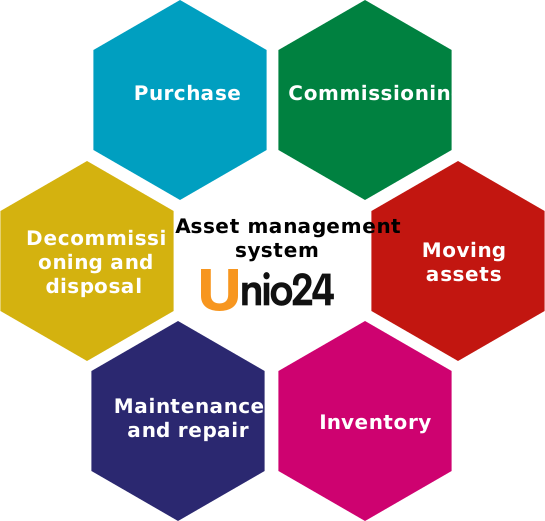
UNIO24 is a system for operational tracking of an organization’s assets (physical property). It follows an asset through its entire lifecycle: from purchase and commissioning to write-off and disposal.
What an asset is and its lifecycle
Section titled “What an asset is and its lifecycle”An asset is a unit of record: a laptop, a machine, furniture, a tool, or any other object a company wants to track. Each asset has a path it travels while it is in service at the organization:
- Purchase — the asset is acquired and entered into the system.
- Commissioning — the asset becomes ready for use.
- Issuing to employees — the asset is handed over to a specific person.
- Storage — the asset sits in a warehouse or location and is not in use.
- Movement — the asset changes its location or responsible person.
- Tracking — the asset’s current state is recorded and stays available.
- Write-off — the asset is taken out of service and removed from records.
Operational tracking, not accounting
Section titled “Operational tracking, not accounting”UNIO24 handles operational tracking. Accounting answers financial questions: how much an asset is worth, its book and residual value, and how it depreciates. Operational tracking answers different questions — about the physical state of the asset here and now.
At any moment, for any asset you can see:
- where it is — in which location or storage spot;
- who has it — which employee it is assigned to;
- when changes happened — the history of movements and operations;
- what condition it is in — the asset’s status and condition.
These two kinds of tracking complement each other and solve different problems. UNIO24 does not replace accounting; it answers questions that accounting data usually does not reflect.
QR codes and NFC tags
Section titled “QR codes and NFC tags”To look up an asset’s data, you do not have to find it in the system by hand. Each asset can be assigned a tag — a QR code or an NFC tag — and stuck onto the object itself. The tag is read with a smartphone’s camera or NFC module through the mobile app, and the app immediately opens the card of the asset you need.
This approach does not require expensive equipment: an ordinary smartphone is enough. For more on tags, see Marking.
What the system is made of
Section titled “What the system is made of”UNIO24’s functionality is split into modules. The core modules are always on:
- Assets — accounting of the assets themselves.
- Employees — a directory of people to whom assets are assigned.
- Locations — locations and storage places.
- CheckIn/CheckOut — checking out, returning, and moving assets.
- Inventories — accounting of consumables.
- Audit — checks of asset presence.
A company enables additional modules as needed:
- Licenses — tracking of software licenses and subscriptions.
- Tickets — a help desk and request handling.
- Work Orders — planning and tracking of maintenance and repair work.
For more on which modules exist and why some menu sections are visible while others are not, see Modules.
Workstation requirements
Section titled “Workstation requirements”UNIO24 runs in a browser under any modern operating system. Recommended browsers:
- Google Chrome version 102 or higher.
- Firefox version 101 or higher.
JavaScript must be enabled in the browser (it usually is by default).
Useful links
Section titled “Useful links”You can send questions and suggestions through the feedback form or by email.