

Install and sign in
This section covers installing the app, signing in, and setting it up the way you like.
Download the app
Section titled “Download the app”The app is free and available in both stores:
- App Store — for iPhone.
- Google Play — for Android.
Open the link for your phone, or search the store for “UNIO24”, tap Get (App Store) or Install (Google Play), and wait for the download to finish.
Sign in
Section titled “Sign in”- Open the app and tap Sign in.
- Enter your Email and Password — the same ones you use in the web app. The eye icon in the password field shows what you typed.
- Tap Login.
After your first sign-in, the app asks for permission to send notifications — allow it to get notified about tickets, work orders, and bookings. The first time you open the scanner, it asks for camera access.
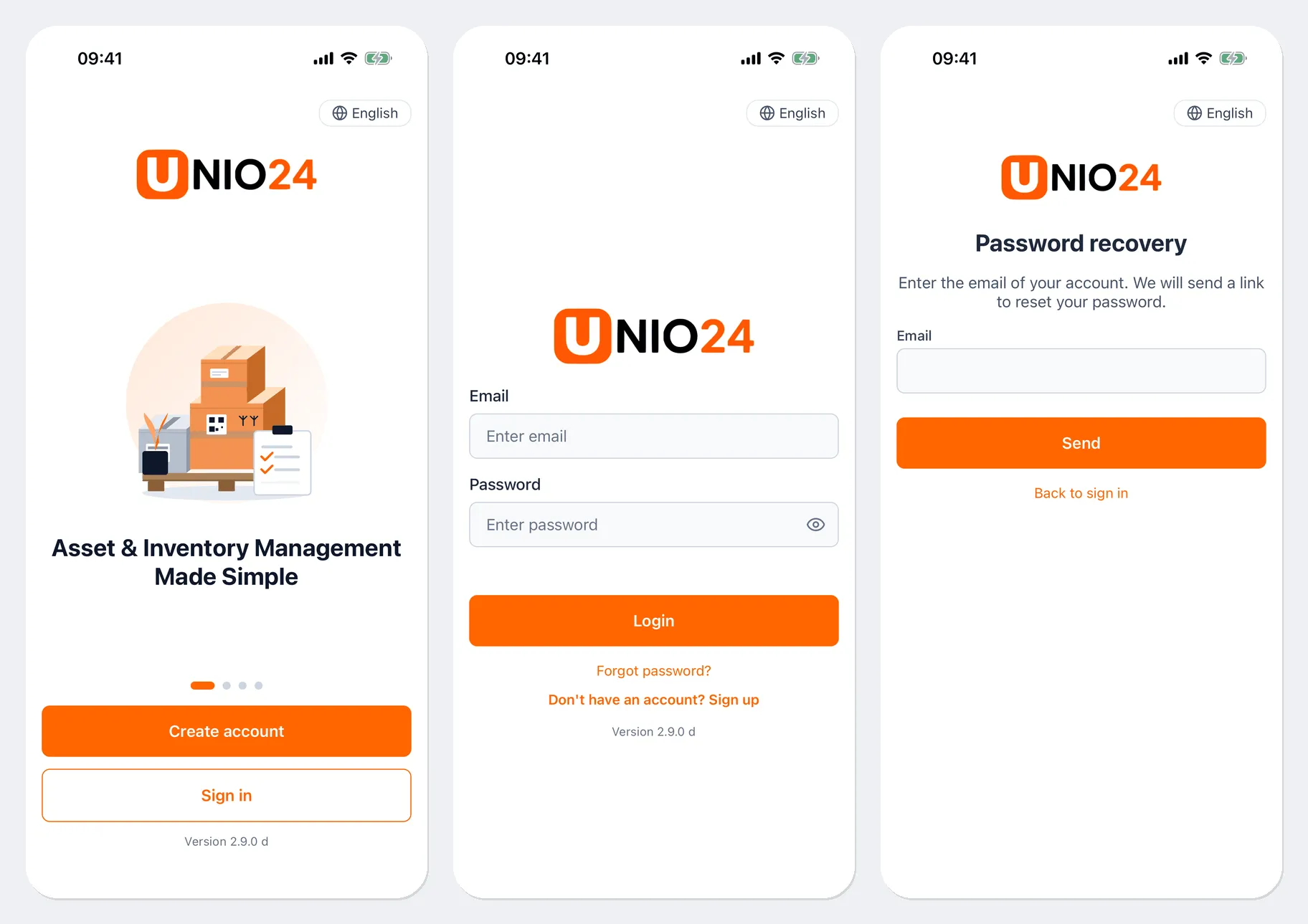
If you were invited to a company, first accept the invitation from the link in the email and set a password, then sign in to the app. The Create account button registers a new company; it doesn’t add you to an existing one.
Forgot your password
Section titled “Forgot your password”- On the sign-in screen, tap Forgot password?.
- Enter your Email and tap Send.
- Open the email, set a new password using the link, then come back to the app and sign in.
Change the language
Section titled “Change the language”- Before signing in — the button with the language name in the top-right corner of the sign-in screen.
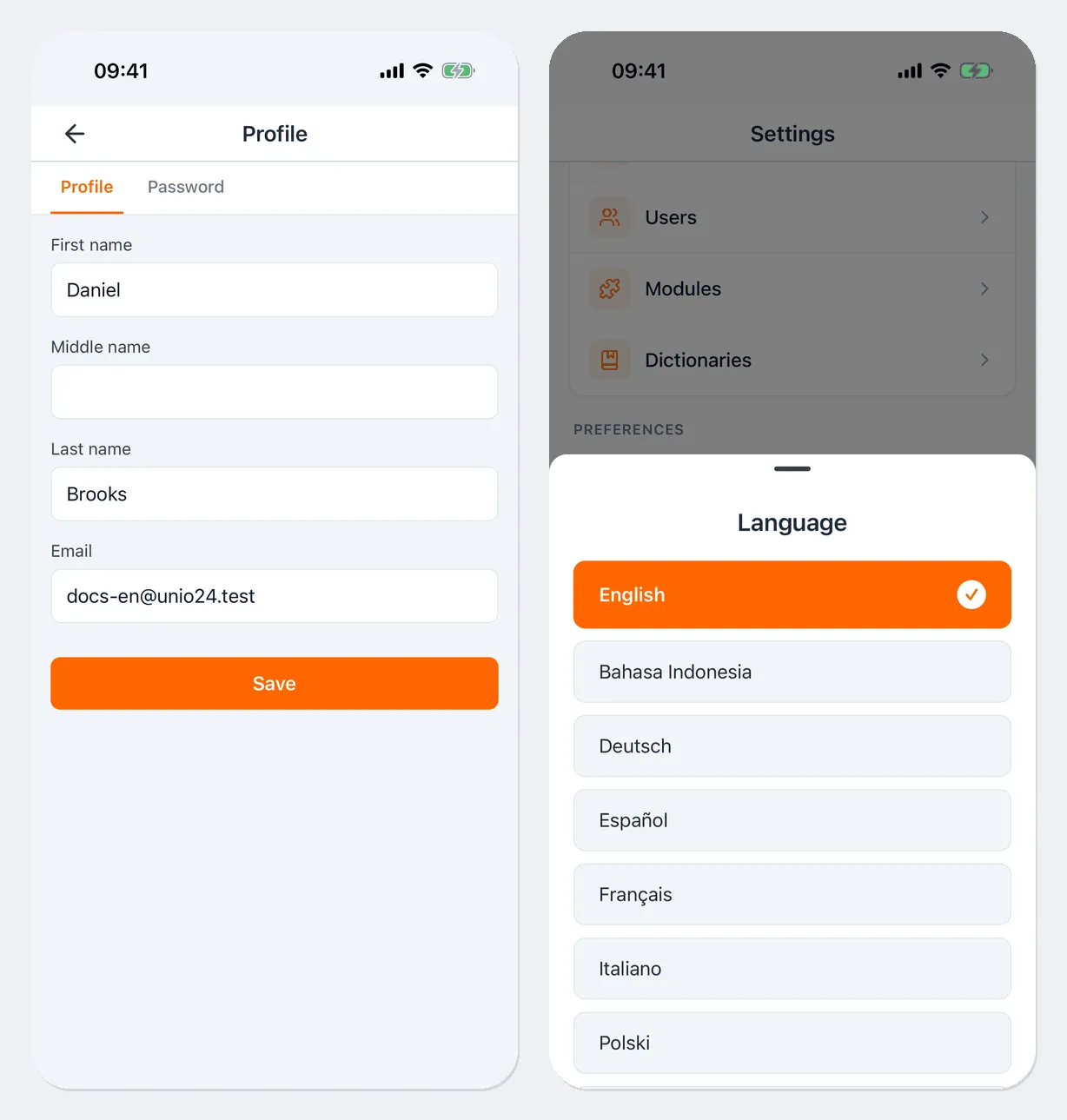
- After signing in — Menu → Language.
Pick a language from the list, and the app switches right away.
Profile and password
Section titled “Profile and password”- Open Menu and tap your profile card at the top.
- On the Profile tab, you can change your First name, Middle name, Last name, and Email. Tap Save.
- On the Password tab, enter your Current password, New password, and Confirm password, and save. The app asks Sign out of all other devices? — tap Sign out to end your sessions in browsers and on other phones, or Keep.
Notifications
Section titled “Notifications”Notifications arrive on your phone if you allowed them after signing in. Tapping a notification opens the ticket, work order, or booking it’s about. Which events you’re notified about is set in the web app — see Notifications.
Feedback
Section titled “Feedback”To report a bug or suggest an improvement, open Menu → Feedback, choose a Category (Bug, Feature request, Question, Other), describe the issue in the Message field, and tap Send.
Sign out
Section titled “Sign out”Open Menu, scroll down, and tap Logout.
If there are inspections or work order status changes on the phone that haven’t been sent yet, the app warns you with Unsent data. They won’t be lost — they’ll be sent the next time you sign in.
Update the app
Section titled “Update the app”If the installed version is too old, the app shows an Update required screen with an Update button. You can’t use the app until it’s updated. Tap Update, install the new version from the store, and open the app again.
To see this screen less often, turn on automatic app updates in your store settings.
Useful links
Section titled “Useful links”- Introduction — what the app can do
- Your profile — profile and notifications in the web app