

Locations
If you need step-by-step instructions, see Managing locations. For the full list of columns, fields, and permissions, see the Locations reference.
A location is a physical or virtual place where assets can be stored: for example, a warehouse, Room No. 10, or Office No. 4. Every asset in the system is held either by an employee or at a location.
How a location holds assets
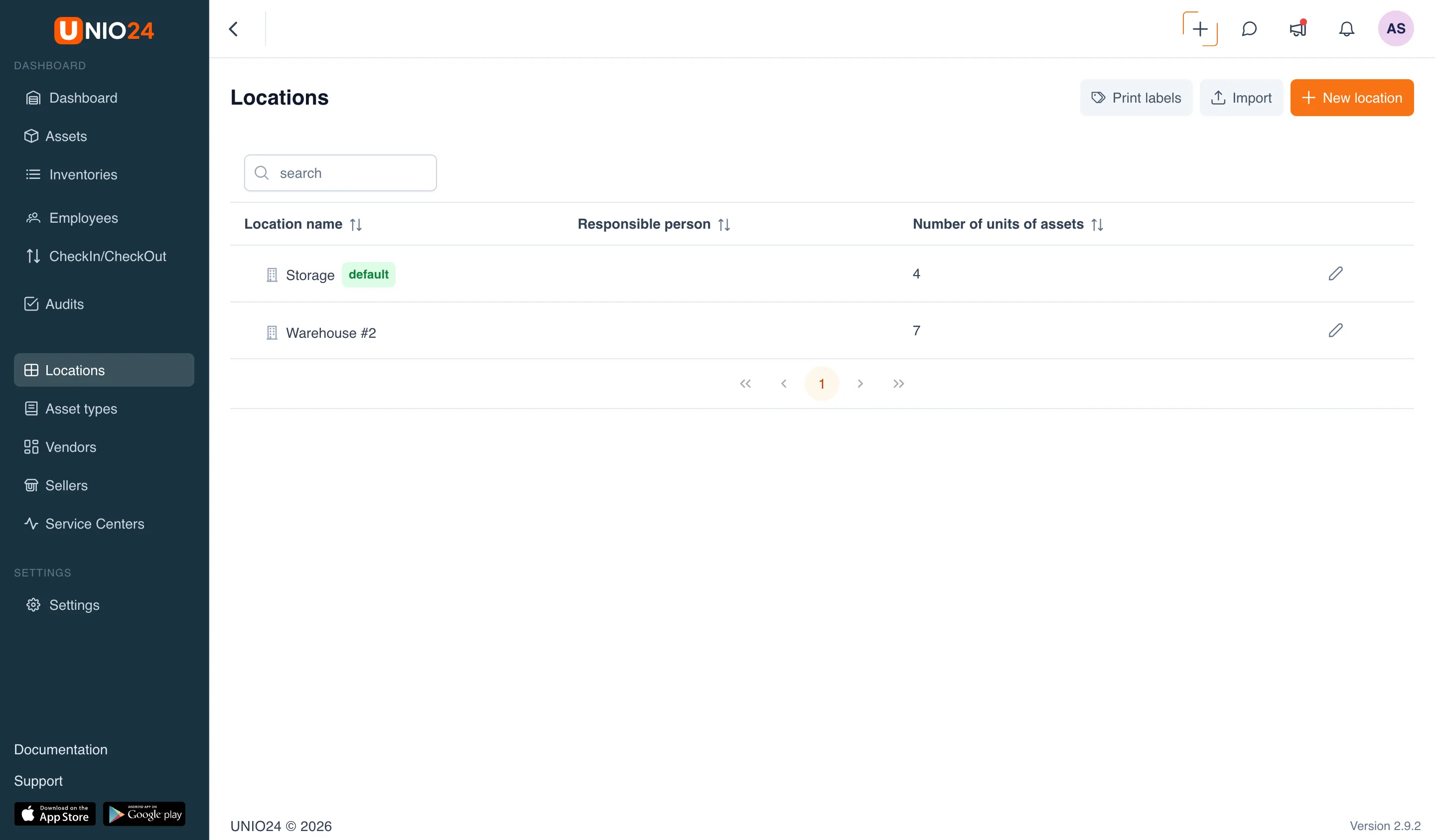
Section titled “How a location holds assets”A location does not by itself describe property — it shows where that property is. How many assets are currently at a location is visible in the list (the Number of units of assets column) and on the location card, on the All assets tab.
Assets enter and leave a location through operations: when received from an employee or when transferred between locations. The operations themselves are described in Asset operations.
Location hierarchy
Section titled “Location hierarchy”Locations can be nested in one another: each has an optional parent location, and so a tree is built — for example, Building → Floor → Office. In the list, a parent expands with an arrow and shows the nested locations, and on a nested location’s card the path from the top level (breadcrumbs) is shown at the top.
The parent is set when creating or editing a location — in the Parent location field. The hierarchy sets only the structure: an asset is still held at a specific location.
Default location
Section titled “Default location”One location can be marked as the default. When a new asset has no other holder chosen at creation, it automatically lands at this location. In the list it is marked with a green default tag.
There can be only one default location in the system.
Write-off location
Section titled “Write-off location”A location can be marked as a place for written-off assets. It holds written-off assets until they are permanently deleted from the system. There can be several such locations; in the list they are marked with a red for write-off tag.
An asset can be deleted permanently only when it is at a write-off location — on the All assets tab of such a location, a delete button appears on the assets. The operation itself is described in Deleting an asset.
Responsible person
Section titled “Responsible person”A location can have an employee assigned as responsible for the assets stored there. The responsible person is optional: the location works without one. It is shown in the list and on the location card and helps you understand whom to contact about the assets at this place.
Asset status on check-in
Section titled “Asset status on check-in”For a location you can set a status that assets receive when they arrive at it. These are two default values — Lifecycle status and Operational status. They are optional: if you don’t set them, the asset’s status does not change automatically on a move. For more on the statuses themselves, see Asset operations.