

Introduction
The UNIO24 mobile app for iOS and Android is for people who work with assets away from a desk: in the warehouse, on the shop floor, at a customer site, or on the road. You sign in with the same account you use in the web app and see the same data.
The app doesn’t replace the web app; it complements it. Setting up the system — roles, users, dictionaries, inspection templates, imports — is easier in a browser. The phone is for day-to-day work: scanning labels, checking assets out and in, running inspections and audits, and handling tickets and work orders.
What you can do in the app
Section titled “What you can do in the app”- Scan labels. Point the camera at a QR code or hold the phone to an NFC tag to open an asset, employee, location, inventory item, or license right away. See Assets, employees, and locations.
- Check out, check in, and transfer assets. Employees can also take assets for themselves and return them on their own. See Check out, check in, and transfer.
- Run audits — mark assets as found by scanning them. See Audits.
- Run inspections from checklists, with photos and a signature, even without a connection. See Inspections.
- Work on tickets and work orders — change the status, check off tasks, write comments, attach photos. See Tickets and work orders.
- Book assets and hand them out against a booking. See Bookings.
- Work offline — data is stored on the phone, and your changes are sent once you’re back online. See Working offline.
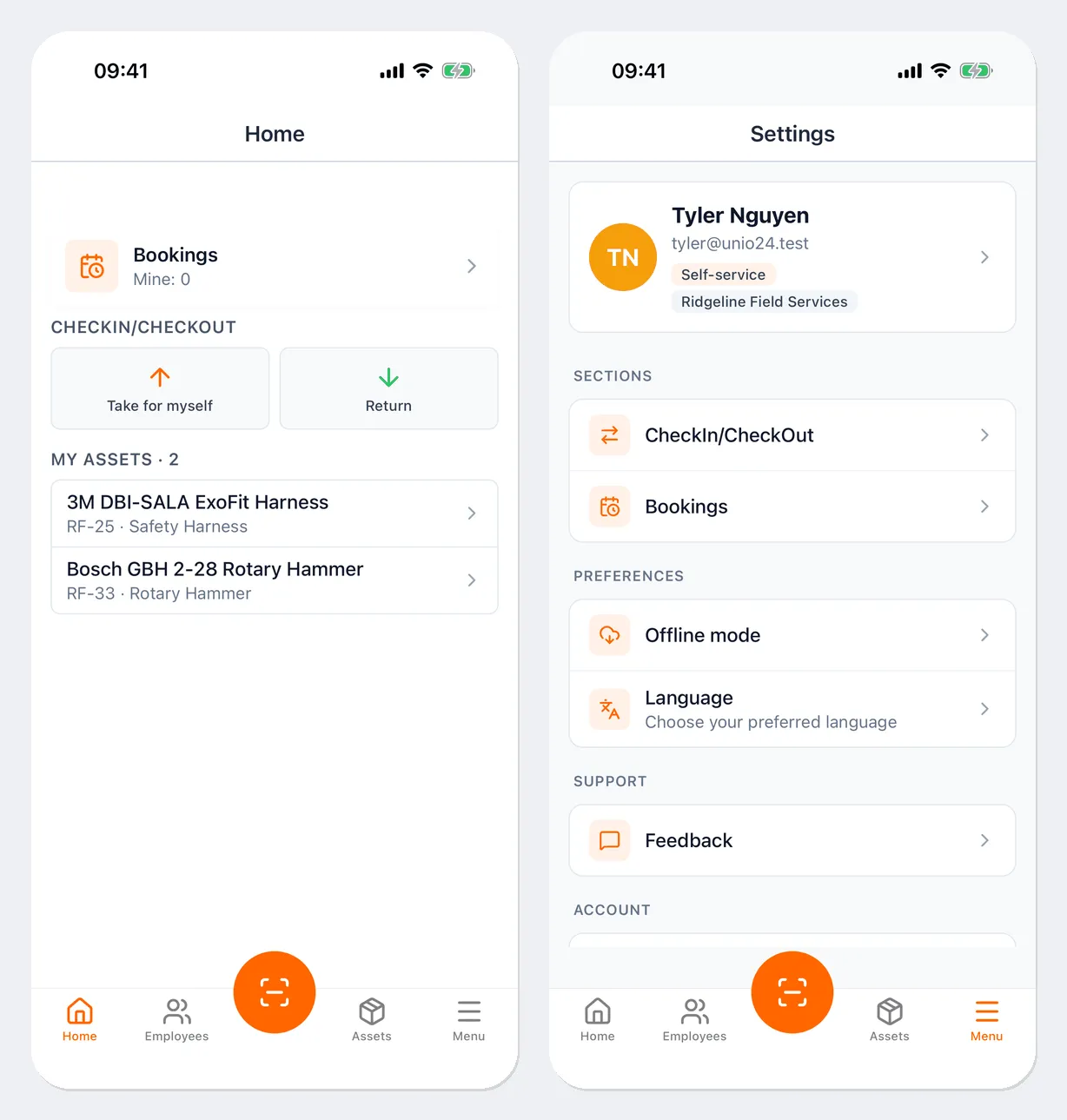
What’s available to you depends on your role and on which modules are enabled for your company. For example, an employee with the Self-service role sees only their own assets and the Take for myself and Return buttons.
How the app is organized
Section titled “How the app is organized”There’s a bar with five tabs at the bottom of the screen:
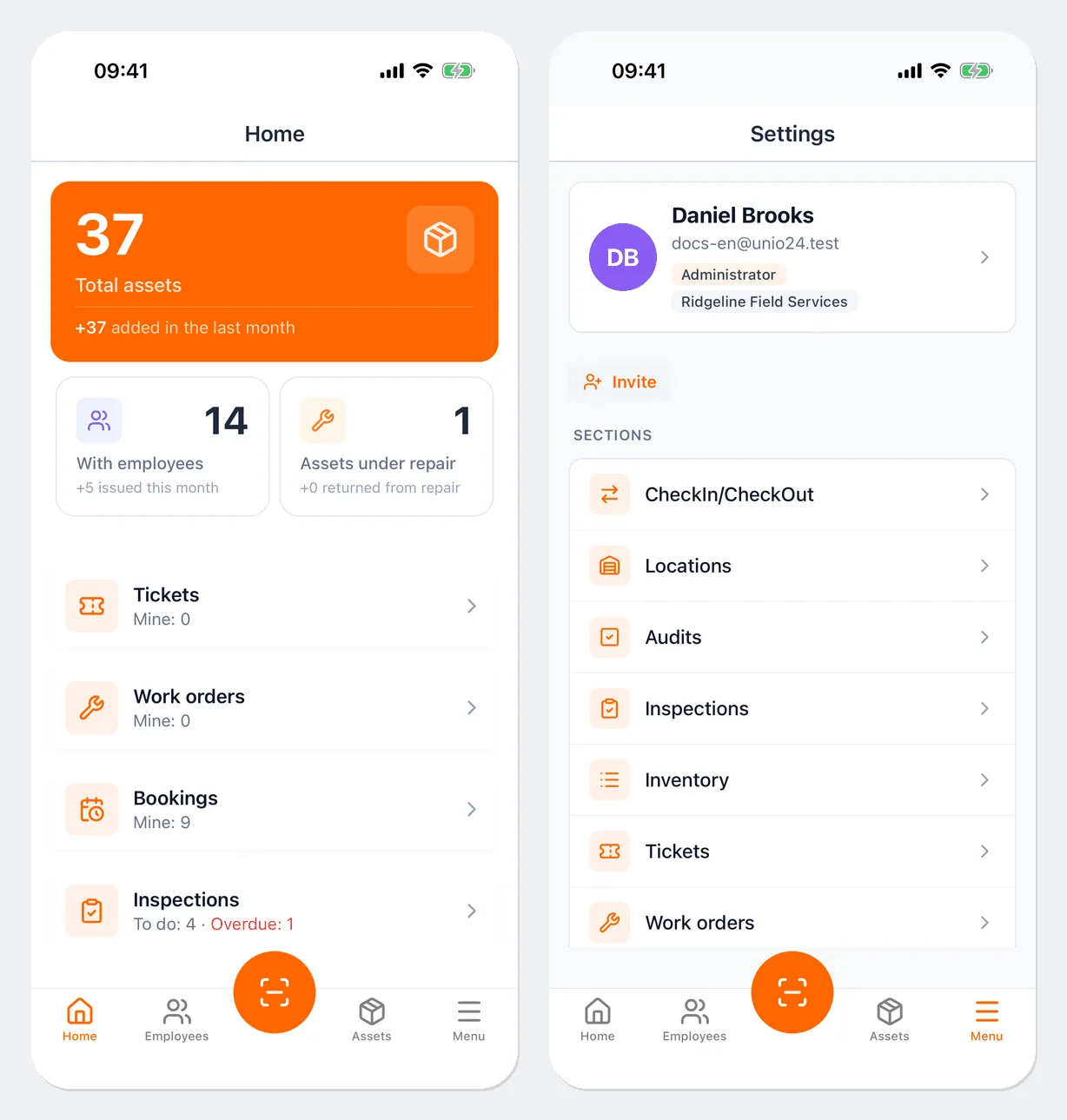
- Home — a summary: total assets, assets with employees and under repair, your tickets, work orders, bookings, and inspections to do, plus the Check Out, Check In, and Transfer buttons.
- Employees — the employee list and the assets each person has.
- Scanner — the round orange button in the middle: opens the camera to read a QR code.
- Assets — the asset list with search.
- Menu — the sections (CheckIn/CheckOut, Locations, Audits, Inspections, Inventory, Tickets, Work orders, Licenses, Bookings), plus Offline mode, Language, Feedback, and Logout. Your profile card is at the top.
The Home screen of an employee who works in self-service mode is simpler: it has the Take for myself and Return buttons and a My assets list — the assets checked out to them.
If you don’t see a menu item or button, your role doesn’t have permission for it or the module isn’t enabled. Contact your administrator.
Languages
Section titled “Languages”The app is available in 13 languages: English, Bahasa Indonesia, Deutsch, Español, Français, Italiano, Polski, Português (Brasil), Română, Svenska, Türkçe, Українська, and Русский. Choose the language on the sign-in screen or in Menu → Language.
Useful links
Section titled “Useful links”- Install and sign in — download the app, sign in, profile, and sign out
- Assets, employees, and locations — scanner, cards, labels
- Working offline — what works without a connection