

Calibration
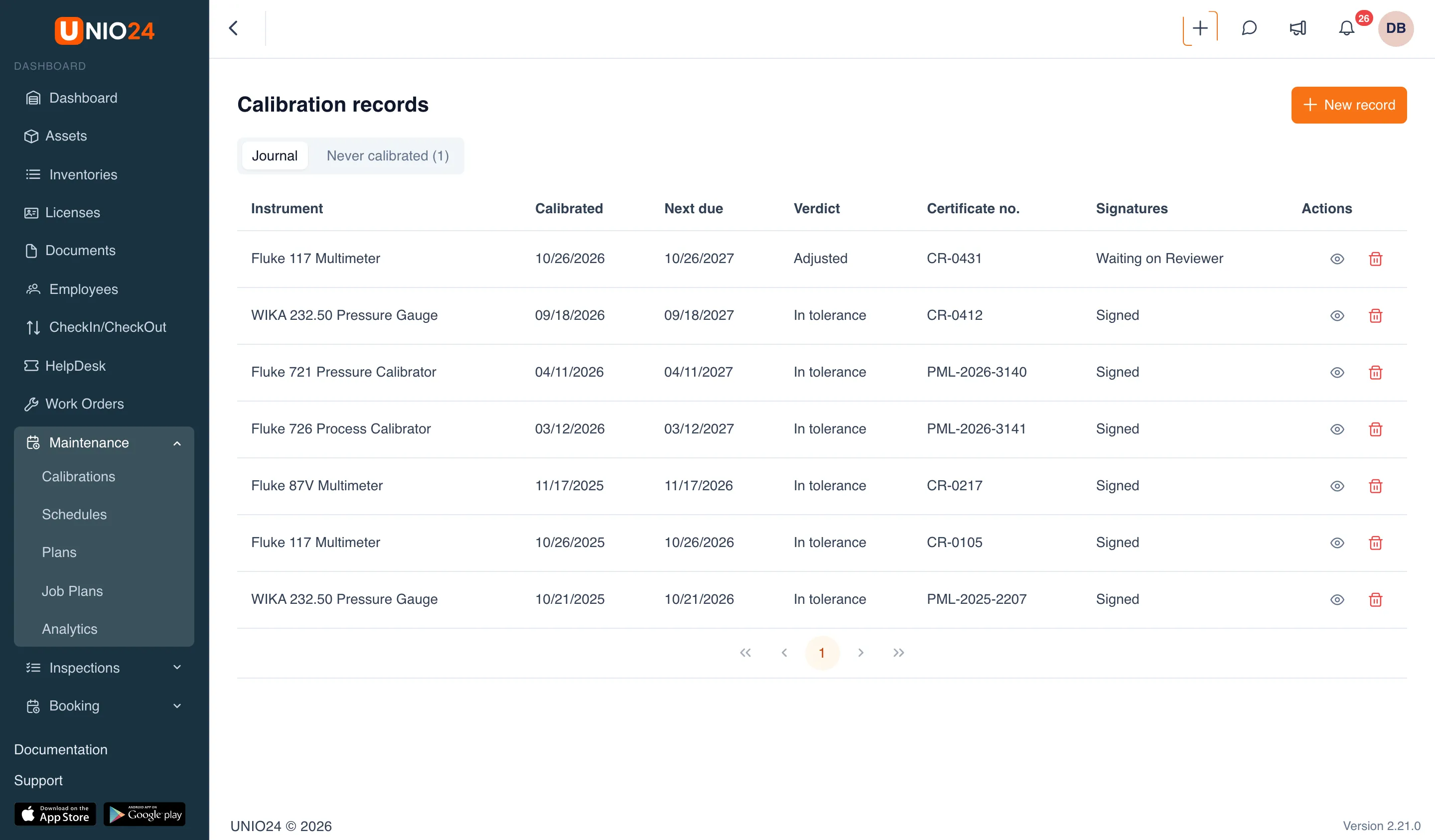
Calibration is part of the Preventive Maintenance module. It’s the upkeep of measuring instruments, such as pressure gauges, multimeters, and calibrators, and unlike ordinary service it has an outcome: the instrument either measures accurately or it doesn’t. That’s why a calibration isn’t recorded with a simple “done” mark but with a calibration record that holds the measured values.
Calibration job plan and plan
Section titled “Calibration job plan and plan”Calibration is planned the same way as ordinary maintenance: a job plan of the Calibration kind and a plan for a type of instrument or for a single instrument. A calibration job plan differs in two ways:
- it has Calibration points: the nominal values the instrument is checked at, each with a tolerance band around it (for example, 60 psi ± 1.5);
- it can list Required signatures: who has to sign the record (technician, reviewer, approver).
Only a calibration record closes a calibration cycle. If the plan works with work orders, a calibration work order can’t be closed until a record is entered for it, and if the record needs signatures, until the last signature is in.
Calibration record
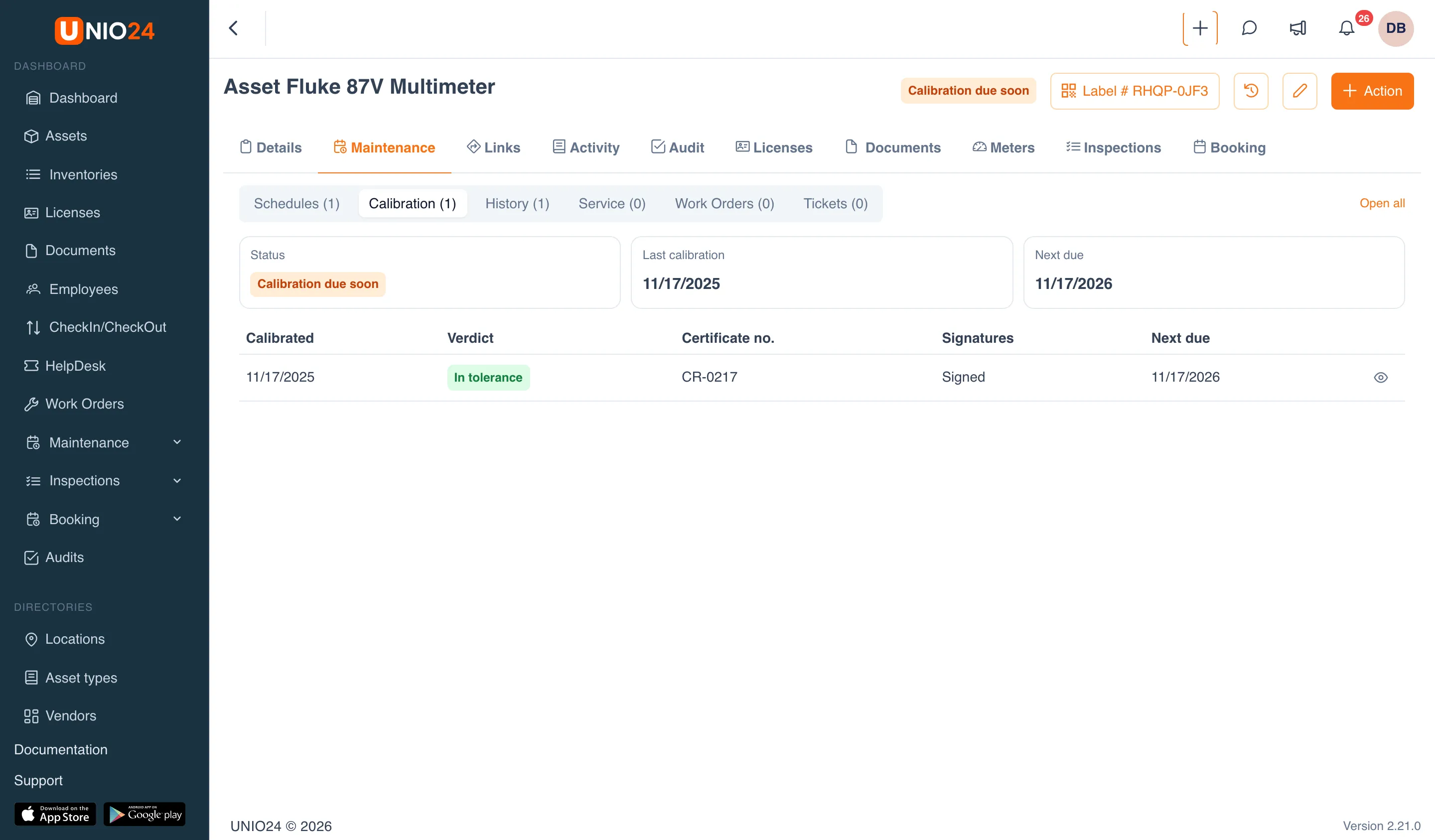
Section titled “Calibration record”A record captures when and by whom the calibration was done, under which procedure, with which reference standards, the certificate number, and the conditions (temperature, humidity). The heart of it is the measured points: for each point you enter the As found value and, if the instrument was adjusted, the As left value. UNIO24 shows right away whether each value falls within the tolerance band.
The calibration Verdict:
- In tolerance: the instrument measures accurately;
- Adjusted: there were deviations before calibration; after adjustment the instrument is within tolerance;
- Out of tolerance: the instrument measures inaccurately;
- Limited use: the instrument may be used only for part of its range; the restriction goes in a separate field.
If you leave the verdict empty, UNIO24 derives it from the measured points.
“Out of tolerance” and “Limited use” don’t close the cycle and have no next due date: the instrument has to be calibrated again. For an out-of-tolerance result, the record also takes an impact assessment (what the inaccurate measurements may have affected) and a decision: No impact, Accepted as is, Rework, or Recall.
Instrument calibration status
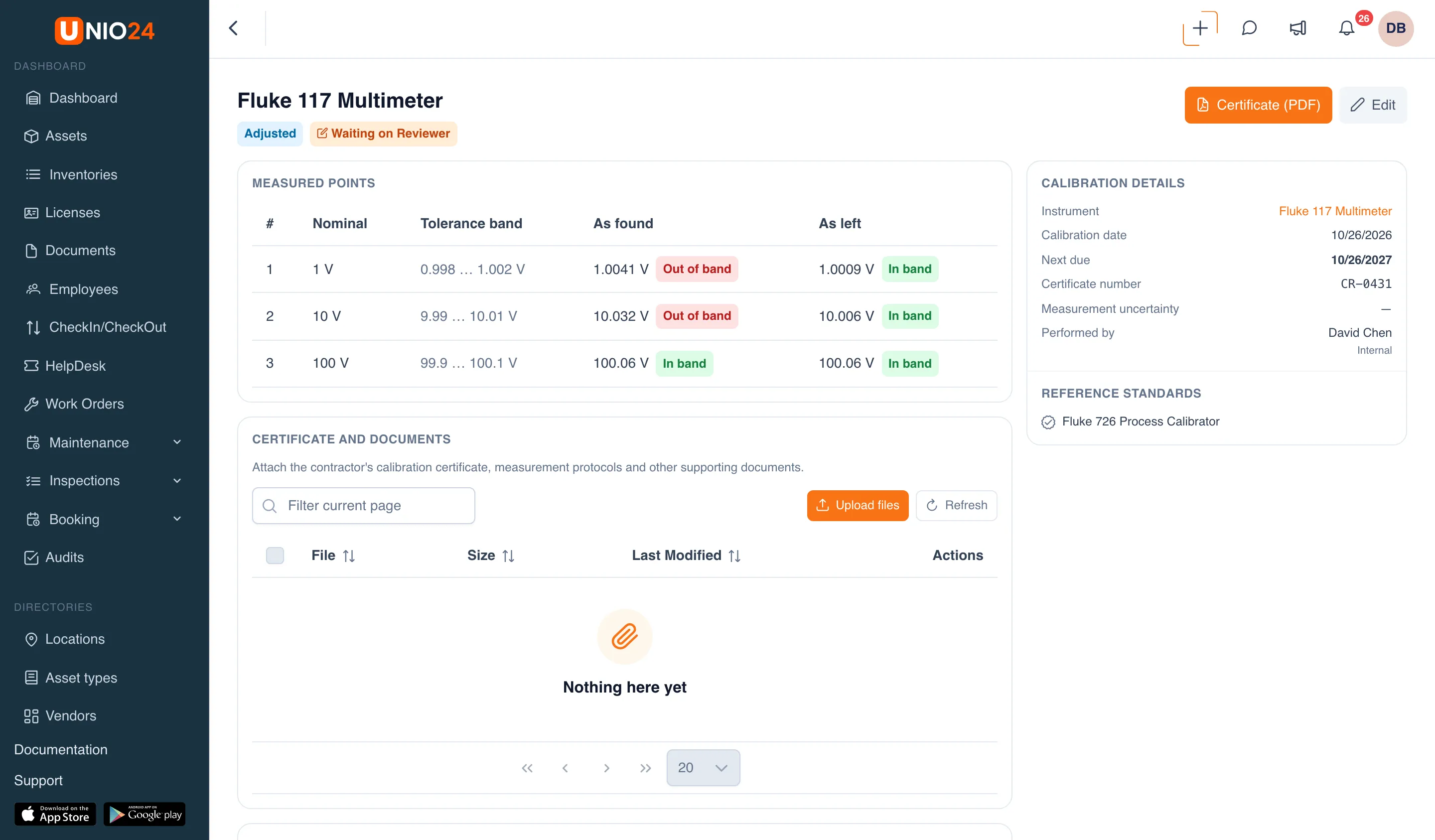
Section titled “Instrument calibration status”Every instrument on a calibration plan has a status. It shows as a label in the header of the asset card and on the Maintenance tab → Calibration:
- In calibration: the next calibration isn’t due for a while;
- Calibration due soon: fewer days are left than set in the settings;
- Calibration overdue: the due date has passed;
- Out of tolerance: the last calibration found the instrument inaccurate;
- Limited use: the instrument may be used with restrictions;
- At service: the instrument is at an outside lab for calibration;
- Not calibrated: the instrument is on a calibration plan but has no records at all.
Instruments without a single record are gathered on the Maintenance → Calibrations page, on the Never calibrated tab. From there you can enter their last calibration from the certificate right away.
Checking out an instrument in a bad status
Section titled “Checking out an instrument in a bad status”When an instrument is checked out or moved, UNIO24 checks its calibration status. What happens next depends on the Calibration Enforcement setting:
- Warn: the instrument can be checked out, but the form shows a warning, for example “Calibration overdue: Fluke 117 Multimeter”;
- Block: check-out and transfer are refused if the calibration is overdue, the instrument is out of tolerance, or it’s not calibrated. Any other status only gives a warning.
When an instrument comes back from repair, UNIO24 only warns about its calibration status, and the return window has a Record a calibration now button.
Reference standards
Section titled “Reference standards”A record can list Reference standards: the instruments used to check the one being calibrated. Reference standards are calibrated themselves (for example, at an outside lab), and their status counts. If a standard’s calibration is overdue, it’s out of tolerance, or it’s not calibrated, the record form shows a warning, and with Block such a standard can’t be selected.
Signatures
Section titled “Signatures”If electronic signatures are turned on in the settings, a calibration record is signed in turn by the roles set in the job plan:
- Technician: performed the calibration;
- Reviewer: reviewed it;
- Approver: approved it.
Signatures go strictly in order and only in the roles the job plan requires. Until the last signature is in, the record doesn’t take effect: the instrument’s status doesn’t change, the cycle doesn’t close, and the certificate carries the note “Awaiting signatures — this certificate is not valid yet”. The exception is the “out of tolerance” and “limited use” verdicts: they take effect immediately so that nobody keeps using an inaccurate instrument.
If you change the content of a record after it was signed, the signatures are voided and the record has to be signed again.
Certificate
Section titled “Certificate”For every record you can download a Certificate (PDF): a document with the calibration data, the measured points, the reference standards, and the signatures. The certificate is printed in your company’s language.
Reminders
Section titled “Reminders”- Calibration due soon: 7 days before the due date and on the due date;
- Calibration overdue: when the due date has passed; once a week there’s also a summary of instruments with no calibration;
- Calibration failed: when a record comes out out of tolerance;
- Signature requested: when a record is waiting for a signature in your role.
Useful links
Section titled “Useful links”- Calibration records and signatures: step-by-step instructions
- Maintenance reference: calibration: fields and statuses