

System users
Common tasks:
What a system user is
Section titled “What a system user is”A system user is a person who signs in to UNIO24 and works with data in the web app or the mobile app. Every user has their own email-and-password sign-in and an assigned role that decides what they can do.
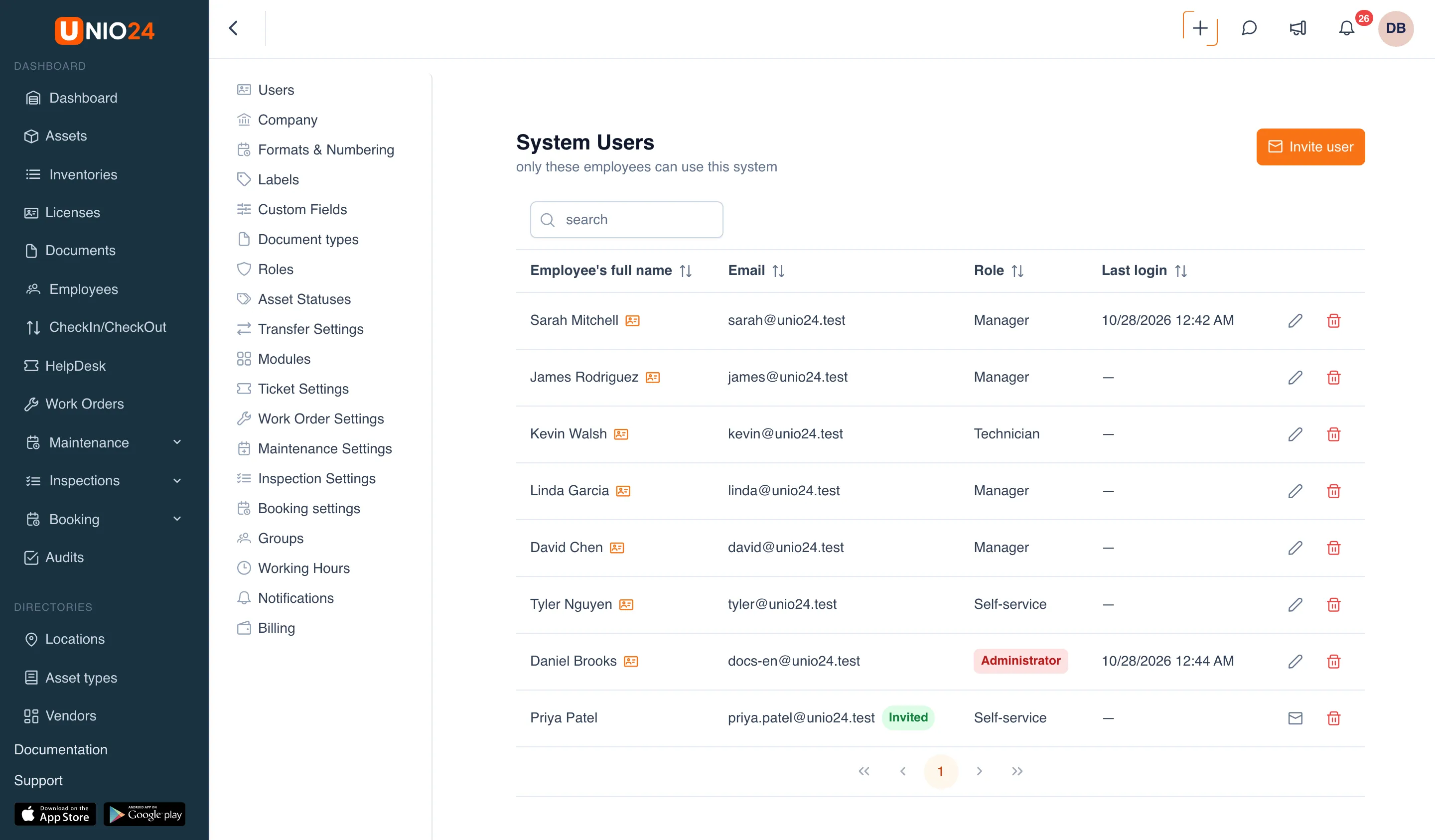
The user list is in Settings → Users. The page is called System Users.
A user and an employee aren’t the same thing
Section titled “A user and an employee aren’t the same thing”An employee is a directory record: a person assets can be assigned and checked out to. An employee doesn’t sign in to the system.
A system user is an account that can sign in. One person can be only an employee, only a user, or both — then the employee card is linked to the account. The link lets the person take and return their own assets, see My assets, and book assets for themselves. How to invite an employee, create a card when you invite a user, or link an existing account is covered in Employees and users.
The invitation model
Section titled “The invitation model”An administrator doesn’t create a user with a ready-made password. Instead, the user is invited by email and sets their own password when they accept the invitation.
That leads to two rules:
- An administrator never sees or sets someone else’s password. Every user changes their own password in their Profile.
- To get access, the person has to follow the link in the email and activate the account.
The invitation email is sent in the company’s language and contains the activation link.
When you invite a user, you assign them a role. The role decides which sections, actions, and buttons the person sees — from full access to narrow permissions for a specific job. Roles are set up separately; see Roles.
User states
Section titled “User states”Until the invitation is accepted, the user’s email in the list has an Invited badge. Such a user hasn’t signed in yet: you can resend the invitation but can’t edit the user.
Once the person activates the account, the badge disappears and the user is active. From then on you can edit them, and the Last login column shows when they last signed in.
Deleting and re-inviting
Section titled “Deleting and re-inviting”A deleted user loses access, but the history of their actions is kept. You can invite the same person again — there’s no need to create the record from scratch. The steps are in Managing users.
Useful links
Section titled “Useful links”- Managing users — step-by-step instructions
- Users reference — the full list of fields, columns, and permissions
- Employees and users — linking an account to an employee card