

System users
If you need step-by-step instructions, see Managing users. For the full list of fields, columns, and permissions, see the Users reference.
Common tasks:
What a system user is
Section titled “What a system user is”A system user is a person who signs in to UNIO24 and works with data through the web app or the mobile app. Every user has their own login by email and password and an assigned role that determines what they can access.
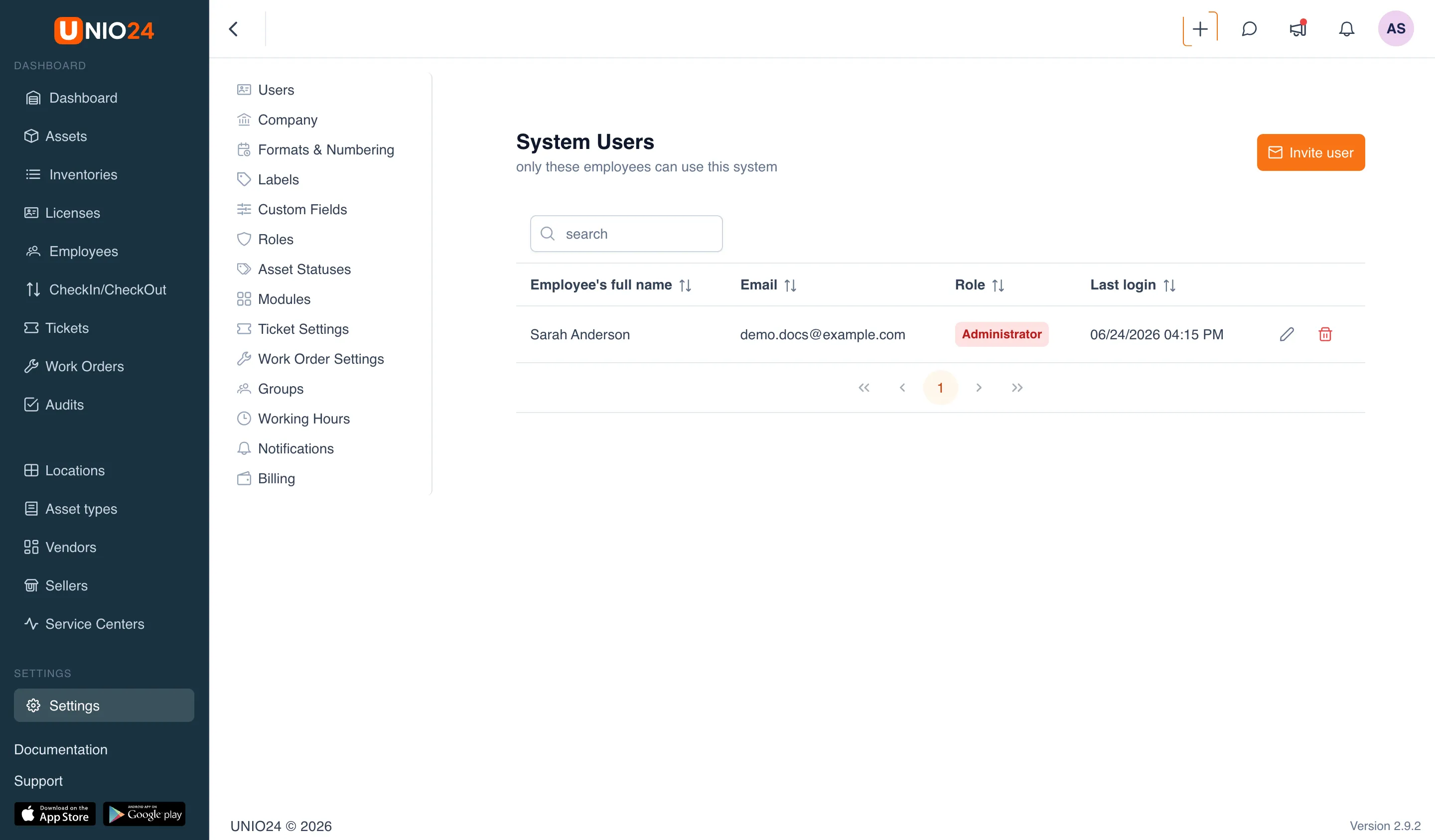
The user list opens from Settings → Users. The page is called System users.
A user and an employee are not the same thing
Section titled “A user and an employee are not the same thing”An employee is a record in the directory: a person you can assign assets to and hand things out to. An employee on their own does not sign in to the system.
A system user is an account with login access. One person can be only an employee, only a user, or both at once. When an employee is given login access, their record is linked to a user account — see Invite an employee as a user. After that, the actions this person takes in the system are tied to their employee record.
Invitation model
Section titled “Invitation model”An administrator does not create a user with a ready-made password. Instead, the user is invited by email, and the person sets the password themselves when they accept the invitation.
Two rules follow from this:
- The administrator does not see or set anyone else’s password. Each user changes their own password in the Profile section.
- For a person to get access, they need to follow the link from the email and activate their account.
The invitation is sent by email in the company’s language; the email contains an activation link.
When invited, a user is assigned a role. The role determines which sections, actions, and buttons the person sees — from full access to limited rights for specific tasks. Roles are configured separately; for more, see the Roles section.
User states
Section titled “User states”Until the invitation is accepted, an Invited badge is shown next to the user’s email in the list. Such a user has not yet signed in: they can be re-invited but not edited.
After the person activates the account, the badge disappears and the user is considered to be in the system. From that point their record can be edited, and a date appears in the Last login column.
Deletion and re-invitation
Section titled “Deletion and re-invitation”A deleted user loses access, but the history of their actions is kept. The same person can be invited again — there is no need to create the record from scratch. The steps are described in Managing users.